Now available · iPad + Trovu Pro

Jellyfin & Plex.
On iPad.
Offline.

Download Jellyfin and Plex movies and TV episodes to your iPad. Save them before you leave, then watch without Wi-Fi on a flight, a commute, or a weekend away.

Offline downloads require Trovu Pro, an optional in-app purchase. Streaming playback is free.

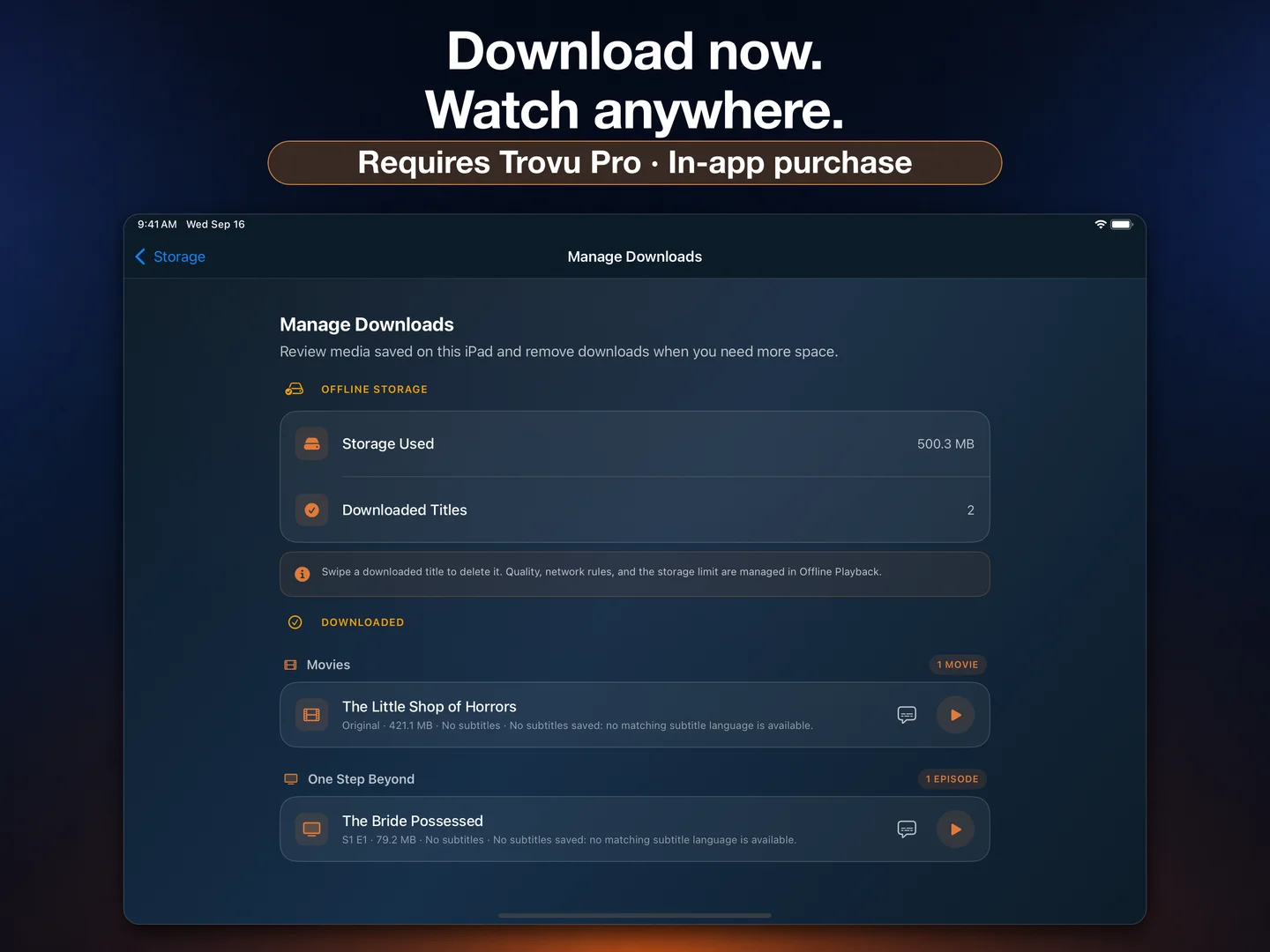
Trovu on iPad showing completed offline downloads of a movie and TV episode, storage used, and Trovu Pro in-app purchase disclosure
For Jellyfin & Plex librariesMovies & TV episodesiPadOS 26.0 or later

Jellyfin and Plex downloads.
One native iPad app.

01

Download from Jellyfin

Connect to your Jellyfin server, browse your movies and series, and save movies or episodes with Trovu Pro. Your completed downloads stay available on your iPad when your server is out of reach.

02

Download from Plex

Connect to your Plex Media Server and take movies and episodes from your library with you. Trovu Pro brings offline viewing to the same iPad app you use for browsing and streaming.

03

Manage your storage

Check download progress and saved titles in Manage Downloads. Review the storage they use and remove finished titles when you need room for your next trip.

How to watch Jellyfin and Plex offline on iPad.

  1. 01

    Connect your library

    Install Trovu on your iPad and connect to your Jellyfin or Plex server while you have network access.

  2. 02

    Choose a title

    With Trovu Pro, open a movie or TV episode and use its download action. Follow the available download options.

  3. 03

    Let it finish

    Keep your server reachable while Trovu downloads and prepares the title. Check that it is ready in Manage Downloads before leaving.

  4. 04

    Watch offline

    Play your completed downloads on your iPad without an internet connection. Remove saved titles when you need to free up storage.

At home, stream.
Away, keep watching.

Trovu is a native Jellyfin and Plex client for both iPad and Apple TV. Browse movie details, explore your TV series, and play your library with touch controls on iPad or the Siri Remote on Apple TV.

Free streaming gives you time to explore your library. Upgrade to Trovu Pro when you want offline downloads on iPad, multiple servers, or Seerr title requests.

Explore all Trovu features →
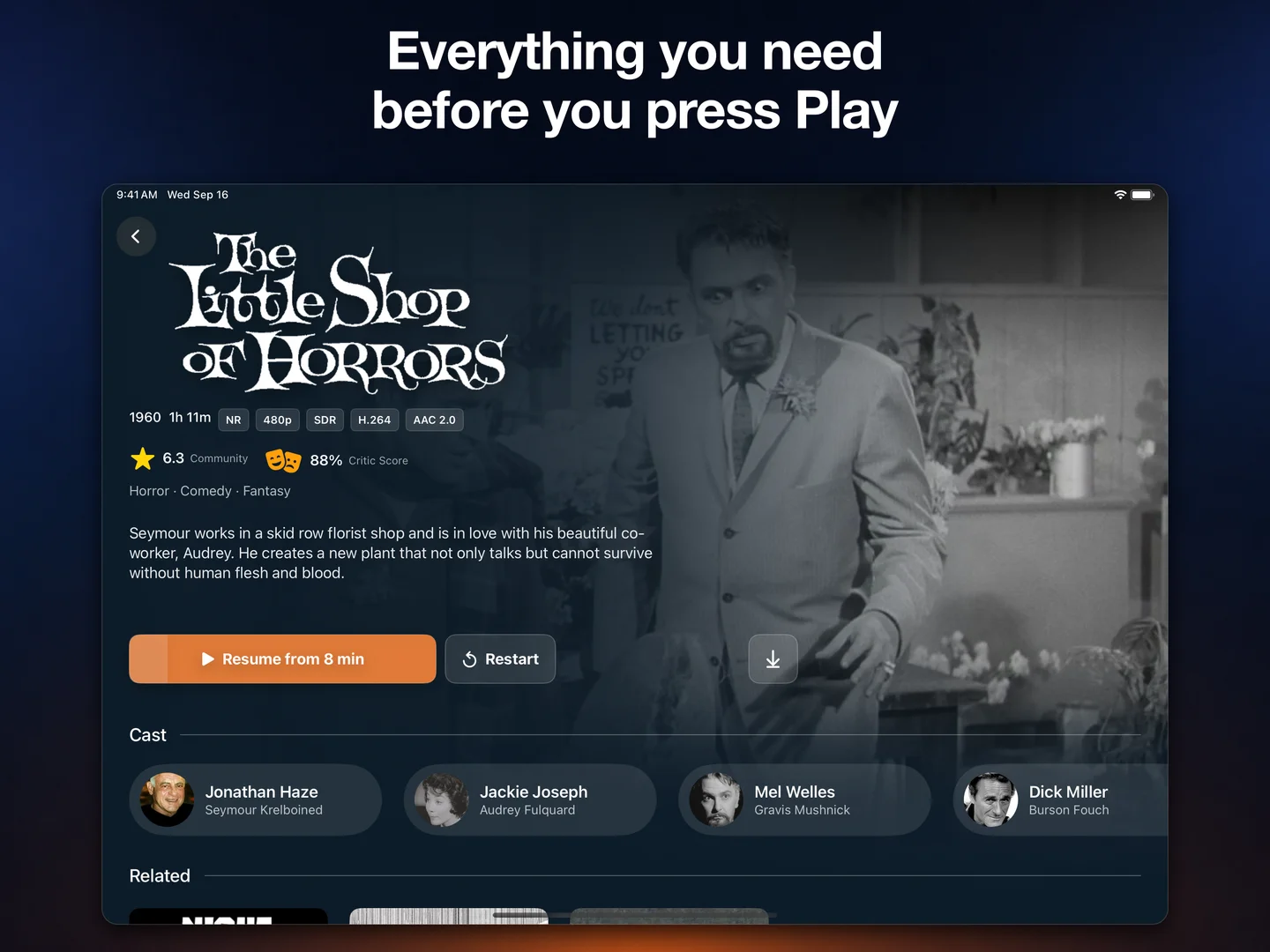
Movie details in Trovu for iPad, including cast, ratings, synopsis, and playback controls
Offline viewing, explained

iPad download questions.

Yes. Trovu Pro lets you download movies and TV episodes from your Jellyfin or Plex server to your iPad. Finish downloading while connected, then watch your saved titles without an internet connection. Offline downloads require Trovu Pro, available as an optional in-app purchase.

Streaming playback is free on iPad and Apple TV. Downloading movies and episodes for offline viewing on iPad requires Trovu Pro, available as an optional monthly, yearly, or lifetime in-app purchase.

You need access to your Jellyfin or Plex server while downloading and preparing a title. Once the download is complete, you can watch the saved title on your iPad without Wi-Fi or mobile data.

Yes. Trovu supports offline downloads of movies and individual TV episodes from Jellyfin and Plex on iPad with Trovu Pro.

Downloads are stored locally on your iPad and use its available storage. Manage Downloads shows your saved titles and storage usage, and lets you remove downloads to free up space.

Offline downloads are available in Trovu for iPad, which requires iPadOS 26.0 or later. Trovu is also available for streaming on Apple TV HD and Apple TV 4K with tvOS 17.0 or later.

Your next trip.
Your own library.

Get Trovu for iPad and Apple TV. Stream for free, or unlock offline downloads on iPad with Trovu Pro, available as an optional in-app purchase.

iPadOS 26.0 or later. Apple TV HD and Apple TV 4K with tvOS 17.0 or later.
Trovu